Showing posts with label Oracle 10g. Show all posts

Tuesday, October 9, 2012

Load XML in oracle


Hello ,


LOAD XML DATA IN TABLES (ORACLE)
---------------------------------------------------

Links :
-------

http://download.oracle.com/docs/cd/B10501_01/appdev.920/a96620/xdb04cre.htm#1030582

http://download.oracle.com/docs/cd/B10501_01/appdev.920/a96620/xdb04cre.htm

Hope this helps,

Best Regards,
Girish

Friday, December 24, 2010

Configure Listener

I was bit confused when i first read about listeners but now its very simple for me and here i will explain you how to configure listener and start and stop etc.

Concept :
Listener will simple listen on port specified by you and will accept connections on that port , and finally will connect that connection to started instance of database

client --> LISTENER --> DATABASE INSTANCE (Your started database)

Important Things which you will require while configuring listener

  • ORACLE_HOME
  • ORACLE_SID
  • PORT NUMBER ON WHICH LISTENER WILL LISTEN FOR CLIENT CONNECTIONS

To check your SID on Linux Box :   echo $ORACLE_SID
This SID you will configure in your listener which is currently running instance

Navigate to :
  • cd $ORACLE_HOME
  • cd  network/admin
  • vim listener.ora
Configure listener.ora as follows :

HOST : your ip on which your going to listen
PORT : (Your choice)
ORACLE_HOME , ORACLE_SID check with previous command and enter same here in file.

Thats it!
You simply configured listener names LISTENER (by default name)

How to Start Listener :

$ lsnrctl start LISTENER

How to Check :

$ sqlplus girish/girish@//HOSTNAME:PORT/SID


If everything is proper you should get connected to oracle instance!

Thank You!


Saturday, September 18, 2010

Load and extract XML File data in Oracle

This is really nice thing we can do it in oracle , recently i encountered a situation where data came from XML File and need to load it in Table in oracle 10g , This was a good opportunity to learn this stuff ,

Here i have written a simple tutorial for beginners , how to load XML file data in Oracle 10g , there are others ways to do these things but this is good method to understand it for beginners like us!

You can download Tutorial from here

Download and playout with this data : download

Correct me if am wrong somewhere ,
You can always post your views and suggestions here on this blog ,

Thank You,

Have a nice day ,

Thursday, September 9, 2010

Oracle Installation Problem : X11 problem

Most probably you will see this line in your error " X11 window server using '192.168.1.2:0.0' as the value of the DISPLAY variable "


This clearly says that problem is related to X11 . . .


Steps :
---------
1) Try executing xeyes as root and check wheather it shows or not . . 
2) now login as your oracle account as ,

    su - oracle


3) Try executing xeyes again if error pops up something like this :


    Xlib: connection to ":0.0" refused by server
    Xlib: No protocol specified
    Error: Can't open display: :0.0

4) Go ahed by firing :  xterm and you will see TERMINAL OPENED 
5) thats it now you can fire xeyes from that terminal 
6) run your oracle installer as  ./runInstaller

Thats It !


Monday, September 6, 2010

can't drop table

drop table xyz;

ORACLE SAYS : exact fetch returns more than requested number of rows ? ? ? how come . . .

yea, once i was playing with dual table and i inserted new row in a dual table which is why i can't drop this table xyz

to Add Rows in Dual table connect to sysdba

1) conn / as sysdba
2) insert into dual values('Z');


Now if you try to drop any table you will get above error to solve it just delete one row from dual table
as

delete from dual where dummy='Z'

Thats it! Now you can drop any table you want without any errors!
Thank You!

Wednesday, August 18, 2010

10g say's Database not open . . .tackle ORA-01219


SQL> startup mount
ORACLE instance started.

Total System Global Area  126951228 bytes
Fixed Size                            454460 bytes
Variable Size                       109051904 bytes
Database Buffers               16777216 bytes
Redo Buffers                      667648 bytes
Database mounted.

SQL> select * from dba_users;
select * from dba_users
              *
ERROR at line 1:
ORA-01219: database not open: queries allowed on fixed tables/views only


Now what ? ? ? ? ? ? ?

To check the Database mode :

1) fire up : select open_mode from v$database
2) If its mounted then you need to fire up : alter database open
3) Thats it now you can fire any query you want . . . .

Enjoy 10g ,
Thank You

Monday, June 7, 2010

Oracle Information Source

Oracle Source Links :

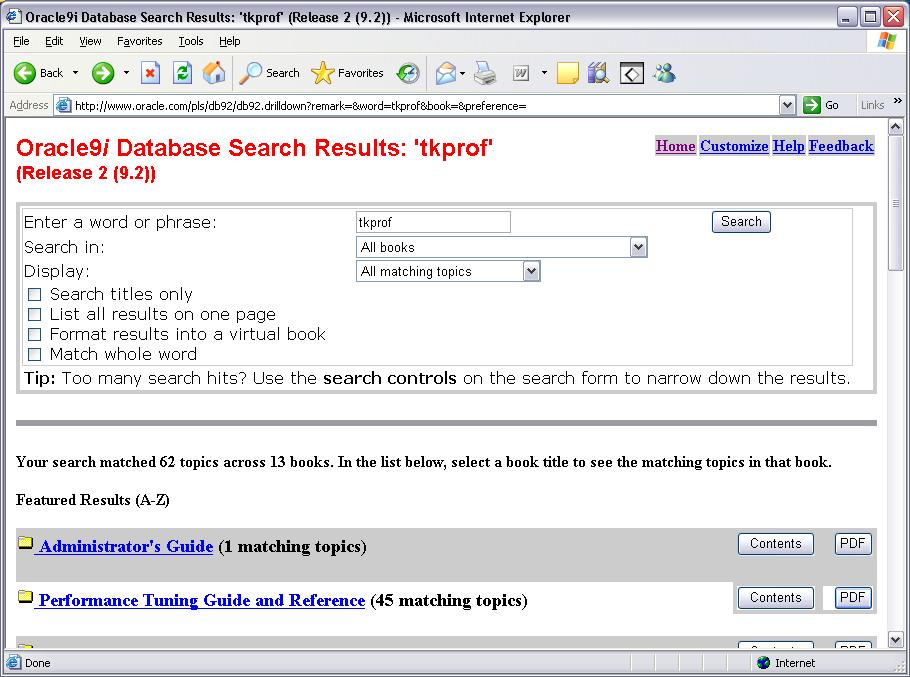
Choosing the right phrase can be tricky. In this case, try TKPROF, Query Plan, Execution Plan.


Ask Tom

The second thing I like to do is Ask Tom. He has answered 33,000 questions, meaning that in any case, my question was probably already asked. Sometimes his answers include links to other information.


Searching our three chosen phrases points to one Ask Tom article in particular that might be helpful.

Thursday, May 20, 2010

HOW to prevent login as a "SYSDBA" oracle

1) First step is to find file : "SQLNET.ora" and you can find this here :
[ORACLE_HOME]\NETWORK\ADMIN

2) Find Statement : SQLNET.AUTHENTICATION_SERVICES= (NTS)

3) Remove NTS parameter from above statement

4) Thats It! Now try to login as "/ as sysdba" or "username/password as sysdba"

5) NONE WILL WORK OUT ! Thats what you wann!

Thank yOu

I love Oracle !

Monday, May 17, 2010

Oracle 10g Very Basic article

1) install oracle 10g
2) start SQL*PLUS from start menu
3) Enter username : SCOTT
Enter password : TIGER
(USERNAME AND PASSWORD ARE NOT CASE SENSITIVE IN ORACLE)

4) If this password dosn't work and ur gettin message : ACCOUNT IS LOCKED then
5) type "/ as sysdba" without doublequotes in USERNAME box and press enter without entering password;
6) You will get SQL prompt as SQL>
7) Now fire up the query : ALTER USER SCOTT ACCOUNT UNLOCK;
8) Now u will get message ACCOUNT UNLOCKED!
9) Now simple fire up command DISC ( DISSCONNECT)
10) CONN SCOTT/TIGER : connectin using uid : scott and password : tiger
11) Now ur IN !
12) FIREUP the Queries you wannt !

Tuesday, May 11, 2010

Oracle Scott accot LOCKED!

Oracle 10g . . . .
--------------------
1) go to command prompt
2) sql / as sysdba
3) alter user scott accountname ACCOUNT UNLOCK;
4) Exit